process-mining
2021.10
true
- 发行说明
- 入门指南
- 安装
- 配置
- 集成
- 身份验证
- Working with Apps and Discovery Accelerators
- AppOne 菜单和仪表板
- AppOne 设置
- TemplateOne 1.0.0 菜单和仪表板
- TemplateOne 1.0.0 设置
- TemplateOne menus and dashboards
- TemplateOne 2021.4.0 设置
- Purchase to Pay Discovery Accelerator 菜单和仪表板
- 购买到付款 Discovery Accelerator 设置
- Order to cash Discovery Accelerator 菜单和仪表板
- “订单到现金” Discovery Accelerator 设置
- Basic Connector for AppOne
- SAP Connectors
- 适用于 AppOne 的 SAP 订单到现金连接器
- 适用于 AppOne 的 SAP 采购到付款连接器
- SAP Connector for Purchase to Pay Discovery Accelerator
- SAP Connector for Order-to-Cash Discovery Accelerator
- Superadmin
- 仪表板和图表
- 表格和表格项目
- 应用程序完整性
- How to ....
- 使用 SQL 连接器
- Introduction to SQL connectors
- Setting up a SQL connector
- CData Sync extractions
- Running a SQL connector
- Editing transformations
- 释放 SQL 连接器
- Scheduling data extraction
- Structure of transformations
- Using SQL connectors for released apps
- Generating a cache with scripts
- Setting up a local test environment
- Separate development and production environments
- 实用资源
重要 :
请注意,此内容已使用机器翻译进行了部分本地化。
新发布内容的本地化可能需要 1-2 周的时间才能完成。


Process Mining 用户指南
上次更新日期 2026年4月23日
TemplateOne menus and dashboards
简介
Each menu item in TemplateOne offers different dashboards containing information and analysis functionality that is focused on a specific area of the process. The dashboards contain charts that can present the data in various ways.
菜单和仪表板
TemplateOne contains the following menus and related dashboards.
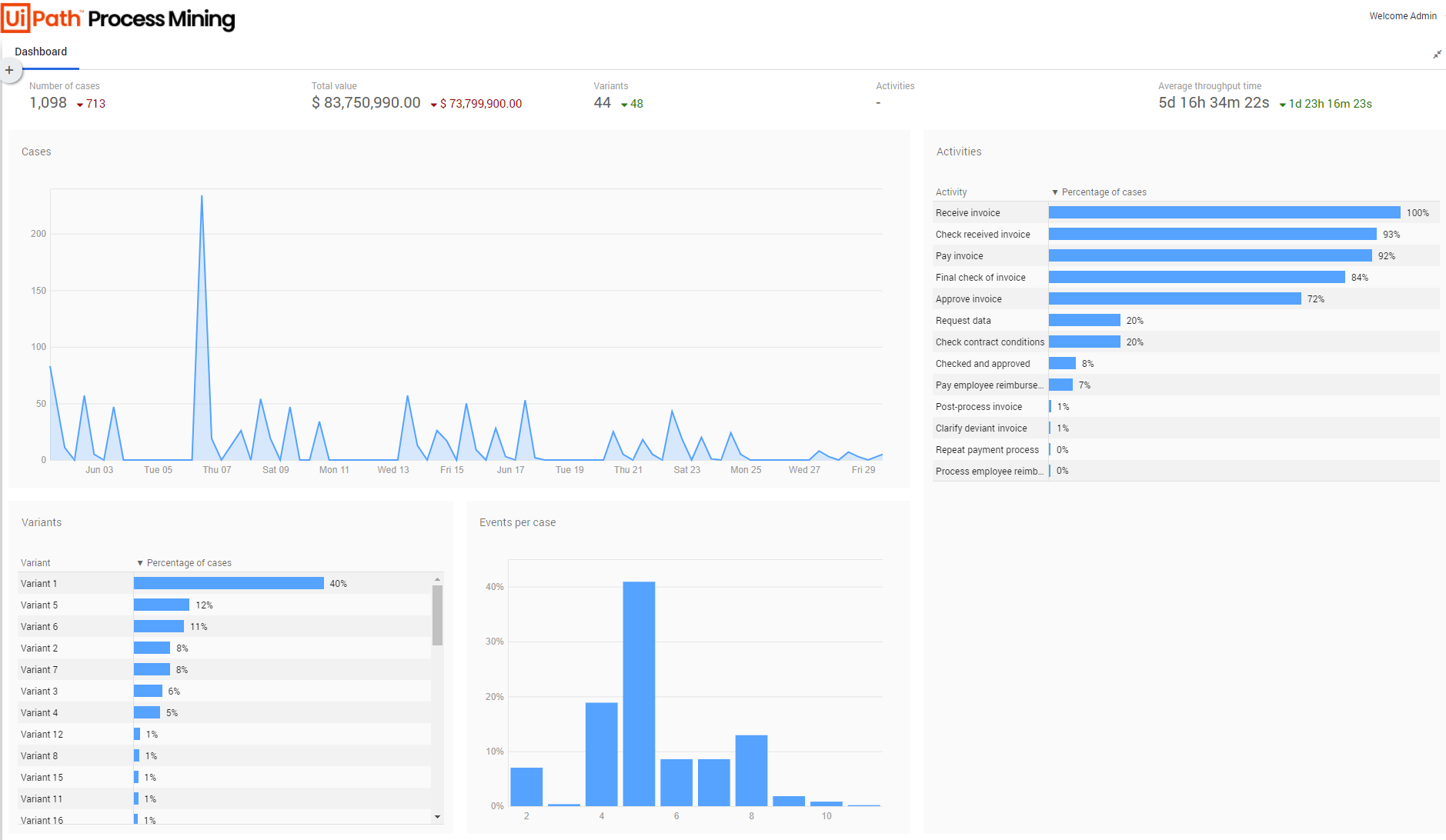
有关“概述”菜单的“概述”仪表板,请参见下图。
上下文信息
Context information for the charts and KPIs from TemplateOne is available by hovering over a chart header or KPI. See the illustration below for an example.