
- 发行说明
- 入门指南
- 安装
- 配置
- 集成
- 身份验证
- Working with Apps and Discovery Accelerators
- AppOne 菜单和仪表板
- AppOne 设置
- TemplateOne 1.0.0 菜单和仪表板
- TemplateOne 1.0.0 设置
- TemplateOne menus and dashboards
- TemplateOne 2021.4.0 设置
- Purchase to Pay Discovery Accelerator 菜单和仪表板
- 购买到付款 Discovery Accelerator 设置
- Order to cash Discovery Accelerator 菜单和仪表板
- “订单到现金” Discovery Accelerator 设置
- Basic Connector for AppOne
- SAP Connectors
- 适用于 AppOne 的 SAP 订单到现金连接器
- 适用于 AppOne 的 SAP 采购到付款连接器
- SAP Connector for Purchase to Pay Discovery Accelerator
- SAP Connector for Order-to-Cash Discovery Accelerator
- Superadmin
- 仪表板和图表
- 表格和表格项目
- 应用程序完整性
- How to ....
- 使用 SQL 连接器
- Introduction to SQL connectors
- Setting up a SQL connector
- CData Sync extractions
- Running a SQL connector
- Editing transformations
- 释放 SQL 连接器
- Scheduling data extraction
- Structure of transformations
- Using SQL connectors for released apps
- Generating a cache with scripts
- Setting up a local test environment
- Separate development and production environments
- 实用资源


Process Mining 用户指南
• 将自动化概念发送到 UiPath Automation Hub
简介
Different UiPath products work together to discover, investigate and build automation and communicate process improvements. UiPath Automation Hub is used to turn ideas for automation that are discovered from UiPath Process Mining into real automated implementations. If UiPath Process Mining is set up for integration with UiPath Automation Hub you can send ideas for process improvements that are subject for automation directly from the Process Graph to UiPath Automation Hub.
In UiPath Automation Hub the idea will be investigated and processed. Once the automation is built, the impact should become visible in UiPath Process Mining.
提交自动化概念
When you identify a bottleneck in your process while monitoring, for example when a manual activity takes a long time to be executed, you might want to send a request to automate the activity to UiPath Automation Hub. You can do this directly from the Process Graph.
Follow these steps to submit a request for automation and send it to UiPath Automation Hub.
| 步骤 | 操作 |
|---|---|
| 1 | 在“流程图”中,右键单击您确定为可能的自动化候选者的活动。 |
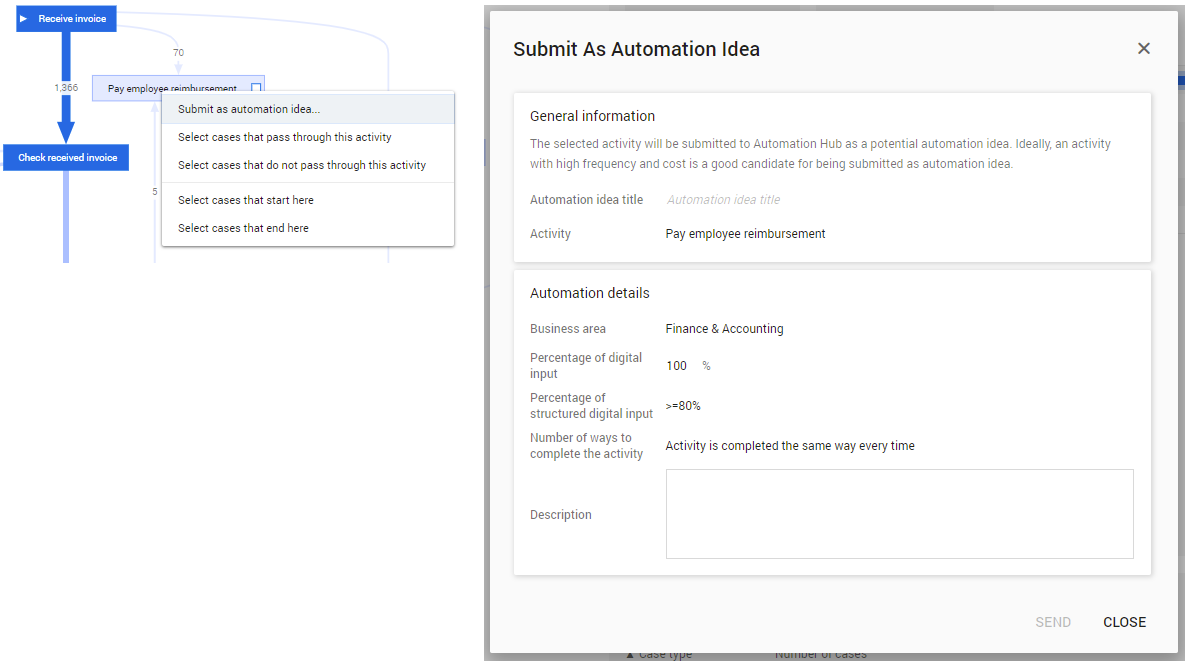
| 2 | 从上下文菜单中选择“作为自动化概念提交…” 。系统将显示“作为自动化概念提交”对话框。请参见下图。 |
| 3 | 输入自动化请求所需的详细信息。有关字段的说明,请参见下文。 |
| 4 | Click on SEND. |
Be careful when completing the fields in the Submit As Automation Idea dialog since the values submitted may have an impact on the automation potential or determining the ease of automation.
You can also select an activity and click on the icon at the top of the Process Graph to open the Submit As Automation Idea dialog.
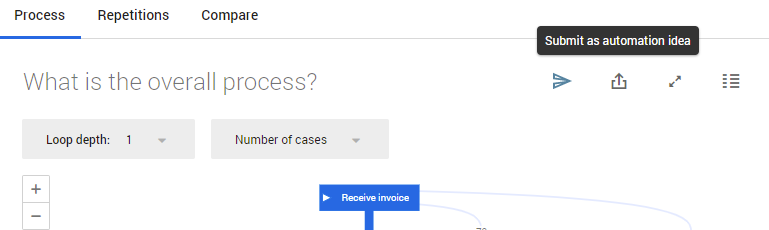
如果您有活动的流程图筛选器,例如 “选择通过此活动的案例” ,则当您单击“发送到 Automation Hub”图标时,系统将自动选择该活动作为自动化概念的活动。另请参阅流程图筛选器。
Send to Automation Hub dialog
The Send to Automation Hub dialog enables you to provide input for the Detailed Assessment of the automation idea to be sent to UiPath Automation Hub. Some of the fields already have a prefilled value, but you can change them according to your needs.
下面列出的字段位于UiPath Automation Hub默认评估问题中。在 Automation Hub 详细评估中,默认问题是可自定义的。如果这些问题已被修改,您将在“发送到 Automation Hub”对话框中看到不同的字段。请注意,在这种情况下,可能无法正确发送自动化概念,并且系统可能会显示错误消息。有关更多信息,请参阅Automation Hub文档。
Below is a description of the fields of the Send to Automation Hub dialog.
| 元素 | 描述 |
|---|---|
| 自动化概念标题 | 输入自动化概念的标题。 Activity name - Process name格式。 注意:标题在UiPath Automation Hub实例中必须是唯一的。 |
| 活动 | 指示为自动化候选对象的活动。 注意:如果您使用了特定活动中的“提交自动化”上下文菜单项,或根据选定的活动创建了概念,则默认情况下会选择此活动。 |
| 业务领域 | The name of a category that is predefined in UiPath Automation Hub as an area for automation to which the automation idea is mapped. |
| 数字输入百分比 | 输入一个数字,以指示数字输入的百分比。 |
| 结构化数字输入百分比 | 一个下拉列表,其中包含用于选择结构化数字输入数量的选项。 |
| 完成活动的方法数 | 一个下拉列表,其中包含用于指示完成从数据中提取的活动的方法数量的选项。 |
| 描述 | 自动化概念的简短说明,其中可以包含任何先决条件、输入或触发器以及结果。 |
已提交自动化
成功发送自动化概念后,系统将显示确认对话框。 请参见下图。
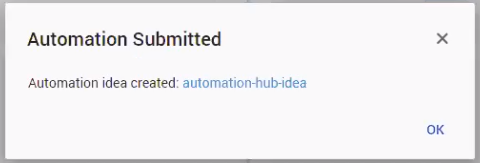
When you click on the hyperlink in the confirmation dialog, you are redirected to the idea in UiPath Automation Hub where you are assigned as the submitter of the idea.
In Automation Hub the Process Mining Dashboard link is available to go back to the process graph from which the idea was submitted. See illustration below.
The Process Mining Dashboard link will also be available for other UiPath Automation Hub users that have the same permissions as the user who submitted the idea.
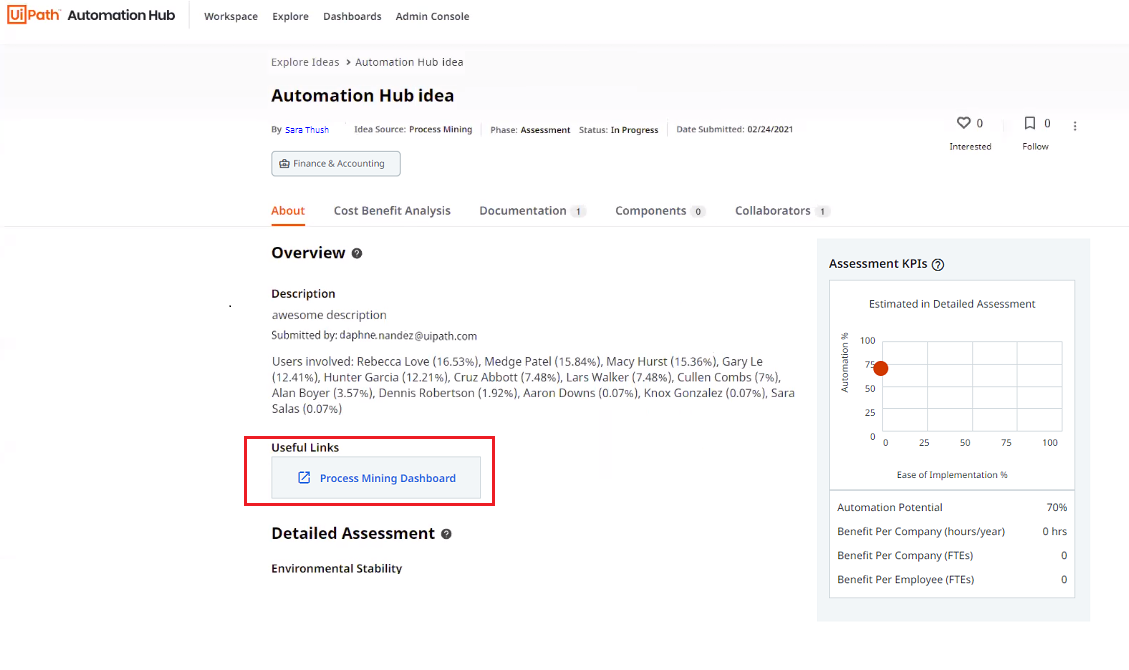
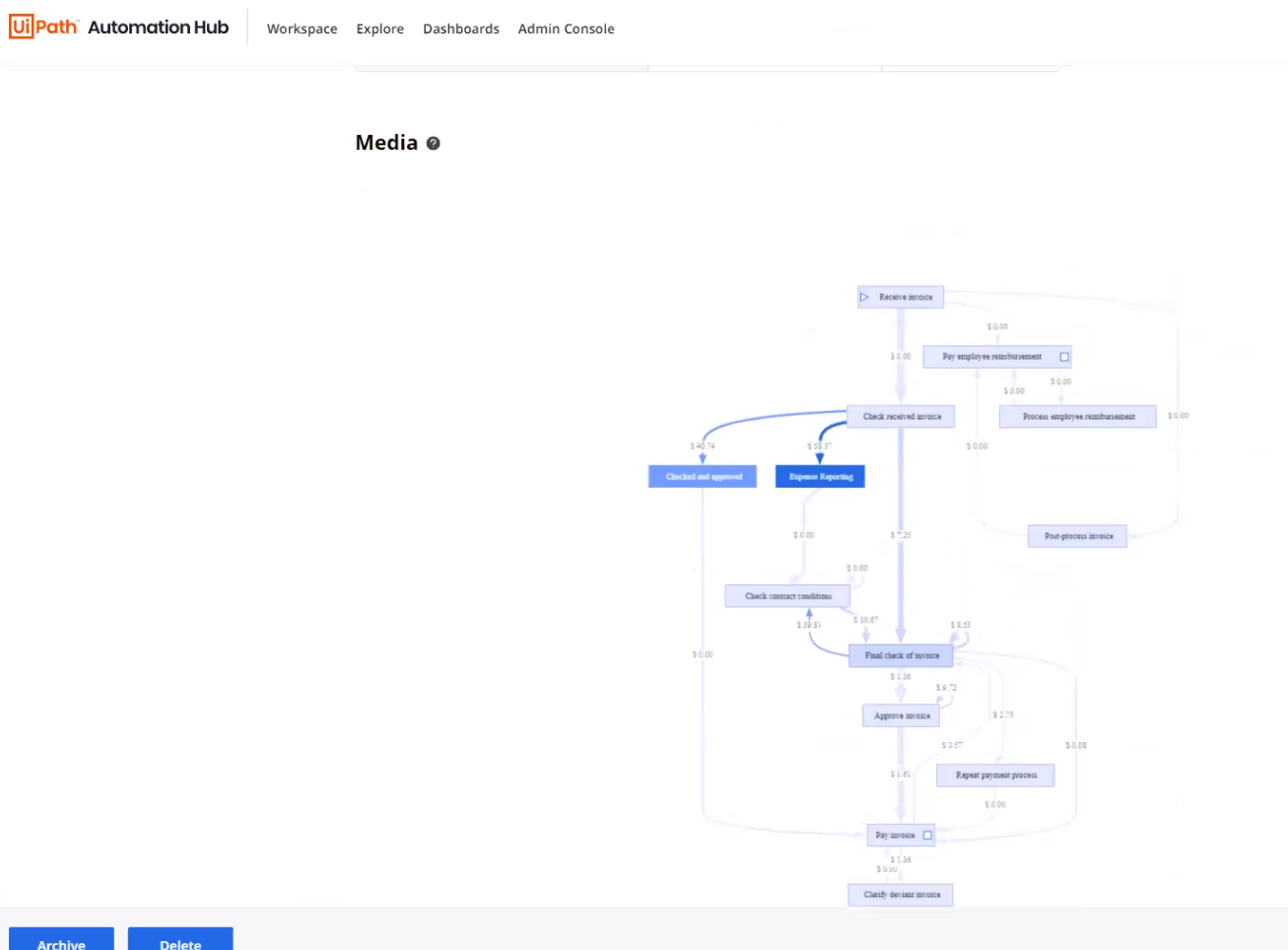
此外,提交概念的来源流程图会显示在页面底部的“媒体文件”部分。👎
Automation Hub的“评估 KPI”窗格中显示的每位员工收益(币种/年)是根据年度事件成本的总和计算得出的。Process Mining中显示的“事件数”与Automation Hub中显示的“(每个频率的)工作量(每个频率)”之间可能略有偏差。它始终会推断完整的年份。