
- 概述
- Document Understanding 流程
- Document Understanding™ 流程:Studio 模板
- 快速入门教程
- 框架组件
- ML 包
- 概述
- Document Understanding - ML 包
- DocumentClassifier - ML 包
- 具有 OCR 功能的 ML 包
- 1040 - ML 包
- 1040 附表 C - ML 包
- 1040 附表 D - ML 包
- 1040 附表 E - ML 包
- 4506T - ML 包
- 990 - ML 包 - 预览
- ACORD125 - ML 包
- ACORD126 - ML 包
- ACORD131 - ML 包
- ACORD140 - ML 包
- ACORD25 - ML 包
- 银行对账单 - ML 包
- 提单 - ML 包
- 公司注册证书 - ML 包
- 原产地证书 - ML 包
- 检查 - ML 包
- 儿童产品证书 - ML 包
- CMS1500 - ML 包
- 欧盟符合性声明 - ML 包
- 财务报表 (Financial statements) - ML 包
- FM1003 - ML 包
- I9 - ML 包
- ID Cards - ML 包
- Invoices - ML 包
- InvoicesAustralia - ML 包
- 中国发票 - ML 包
- 印度发票 - ML 包
- 日本发票 - ML 包
- 装运发票 - ML 包
- 装箱单 - ML 包
- 护照 - ML 包
- 工资单 - ML 包
- 采购订单 - ML 包
- 收据 - ML 包
- 汇款通知书 - ML 包
- UB04 - ML 包
- 水电费账单 - ML 包
- 车辆所有权证明 - ML 包
- W2 - ML 包
- W9 - ML 包
- 其他开箱即用的 ML 包
- 公共端点
- 硬件要求
- 管道
- Document Manager
- OCR 服务
- 深度学习
- 部署在 Automation Suite 中的 Document Understanding
- 在 AI Center 独立版中部署的 Document Understanding
- 许可
- Activities (活动)
- UiPath.Abbyy.Activities
- UiPath.AbbyyEmbedded.Activities
- UiPath.DocumentProcessing.Contracts
- UiPath.DocumentUnderstanding.ML.Activities
- UiPath.DocumentUnderstanding.OCR.LocalServer.Activities
- UiPath.Intelligent OCR.Activities
- UiPath.OCR.Activities
- UiPath.OCR.Contracts
- UiPath.OmniPage.Activities
- UiPath.PDF.Activities


Document Understanding 用户指南
Document Understanding™ 流程:Studio 模板
Document UnderstandingTM Process is a fully functional UiPath® Studio project template based on a document processing flowchart. Its aim is to offer a Document Understanding tool at hand that is easy to use and easy to execute for any developer who wants to start working either on a simple demo or on large-scale implementation.
该流程提供日志记录、异常处理、重试机制以及应在“Document Understanding”工作流中使用的所有方法,且开箱即用。
“Document Understanding 流程”预先在分类中配置一系列基本文档类型、为区分这些类而配置的分类器,以及展示如何使用框架的数据提取功能的提取程序。它旨在用作最佳实践示例,可在显示如何配置其每个组件时适应您的需求。
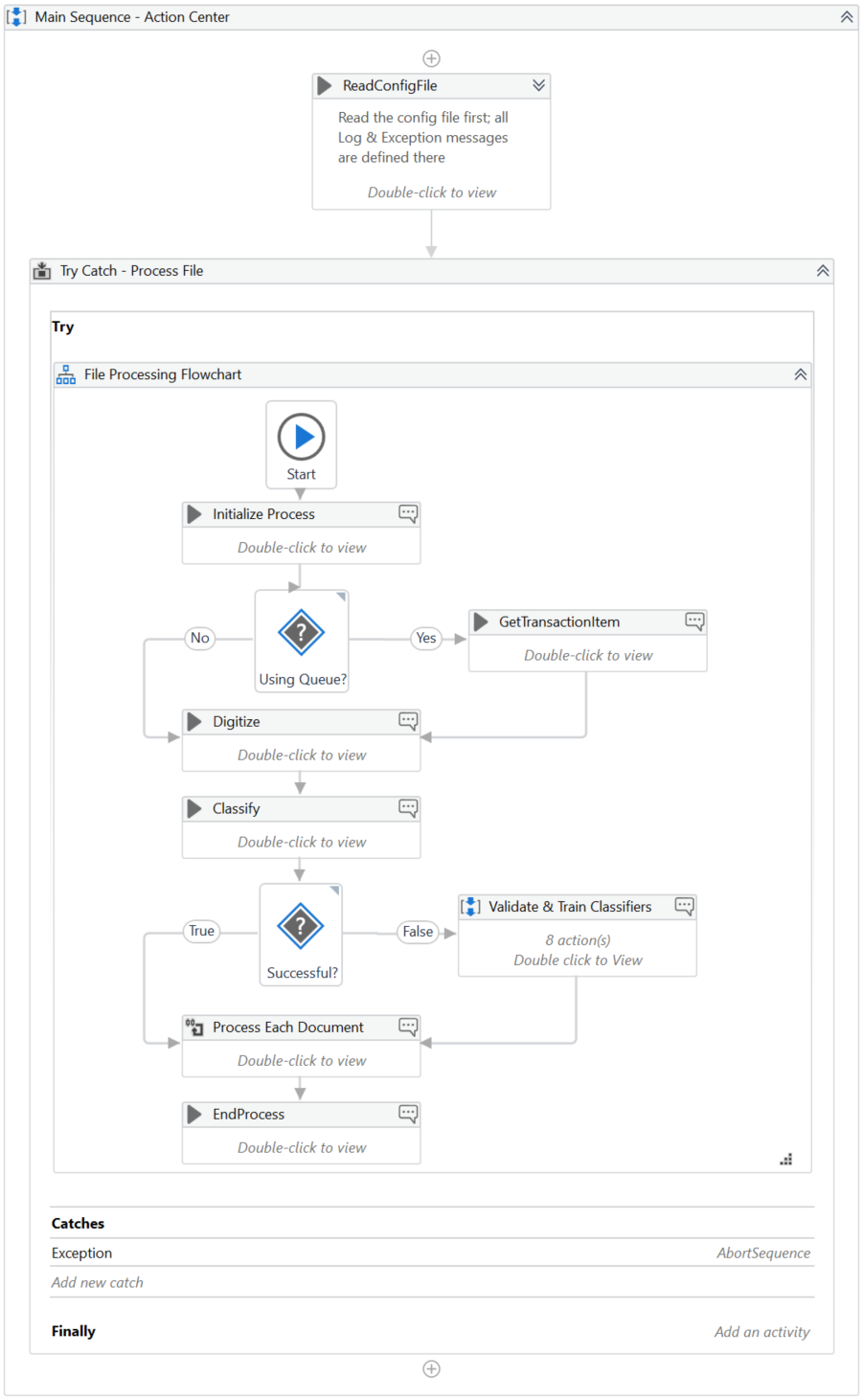
工作流的架构与其他已连接的自动化解耦:
- 待处理文件的来源或触发执行的对象无关紧要,这是上游流程的职责;
- 无论在何处使用提取的信息,这都是下游流程的职责。
无论是有人值守的机器人还是无人值守的机器人,该架构都非常常见,这些机器人运行 Document Understanding,并通过 Action Center 进行人机回圈验证。
系统不会批量处理项目。相反,每个输入文件只有一个作业。确实,每次都需要调度程序,但这种灵活的方法可以让您更轻松地上手、开发、调试和扩展 Document Understanding 流程。
该流程支持 Visual Basic 风格的项目。
The default dependencies in a Document Understanding Process are: UiPath.DocumentUnderstanding.ML.Activities, UiPath.Excel.Activities, UiPath.IntelligentOCR.Activities, UiPath.PDF.Activities, UiPath.System.Activities, and UiPath.UIAutomation.Activities.
如何访问流程
Document Understanding Process is compatible with Studio version 21.4.4 or higher. For previous Studio versions, you can download the NuGet package from here.
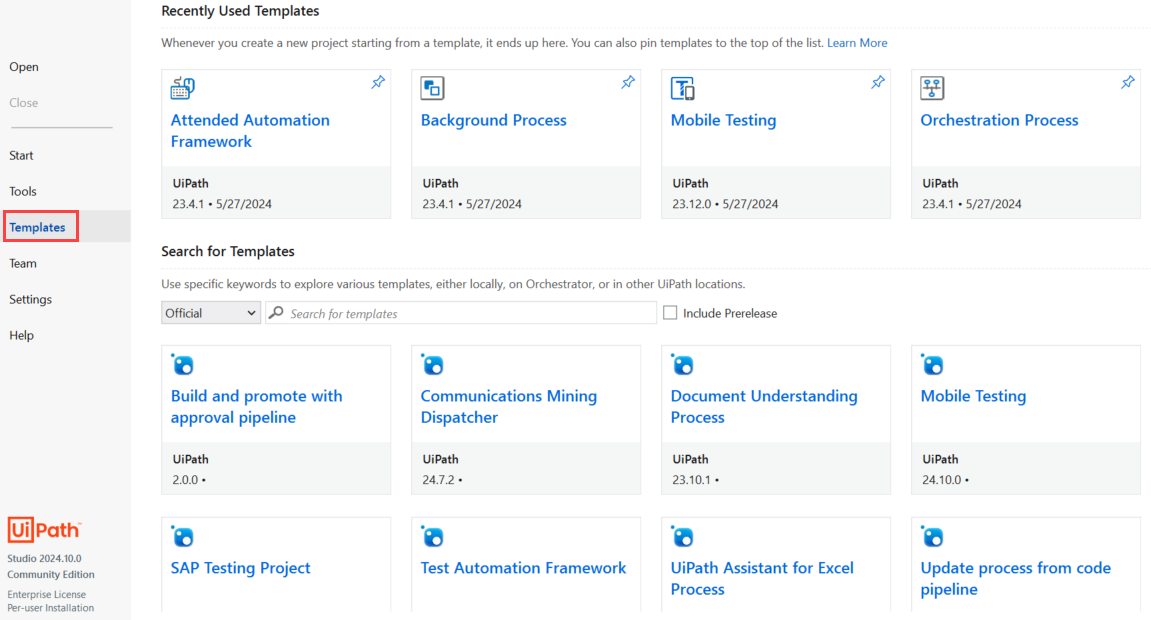
You can find the Document Understanding Process template on the Official template feed. Navigate to the Templates tab and select the Document Understanding Process card.
Figure 1. Official Feed for Studio Templates
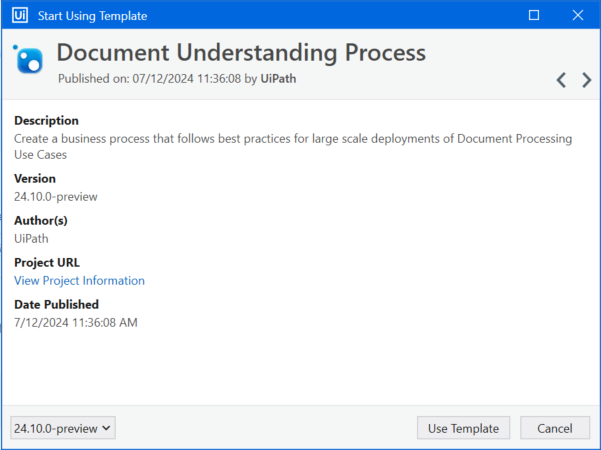
Select Use Template.
Figure 2. Use Document Understanding Process template
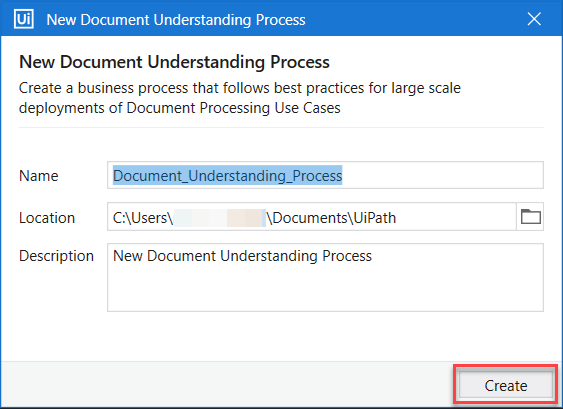
Enter a Name for your process and select a Location on your PC. Select Create to open the process.
用户指南
The process comes with detailed documentation included in the project folder. We recommend you to read the enclosed User Guide even if you are familiar with the Document Understanding solution.
贡献项目
You can contribute directly to the project by making a pull request or by opening an issue in our repository here. If you want to create a new branch, please be aware of the naming conventions in the README.md file.