# Set up LDAP
> This page describes how to set up LDAP to give Superadmin users and end users access to **UiPath Process Mining**. To enable LDAP for **UiPath Process Mining** you must specify the `ldap` object in the `ExternalAuthenticationProviders` setting the **Server Settings**.
## Introduction
This page describes how to set up LDAP to give Superadmin users and end users access to **UiPath Process Mining**. To enable LDAP for **UiPath Process Mining** you must specify the `ldap` object in the `ExternalAuthenticationProviders` setting the **Server Settings**.
:::note
LDAP for **UiPath Process Mining** is only supported with Microsoft Active Directory.
:::
### Configure LDAP Settings
Go to the **Settings** tab of the **Superadmin** page of your **UiPath Process Mining** installation. See illustration below.
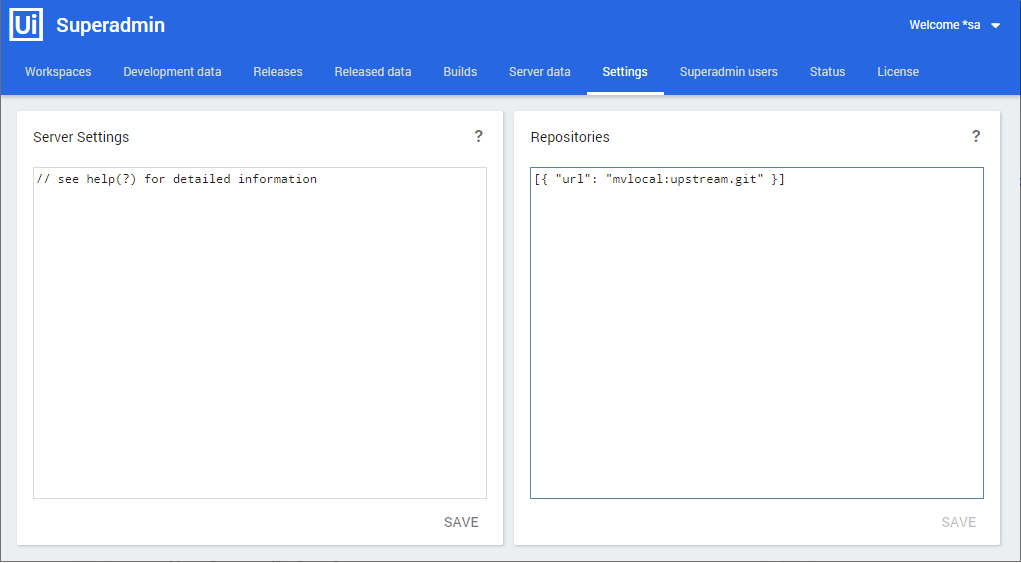
Add the required LDAP settings in the `ExternalAuthenticationProviders` setting of the **Server Settings** for the `ldap` object. Below is a description of the JSON keys of the `ldap` object:
Key
Description
url
The LDAP url domain controller in the domain you want to use. This url needs to be accessible from the UiPath Process Mining server. Use the format: ldap://dc.company.domain.com.
base
The LDAP base distinguished name to authenticate users under. Use the format: DC=Company,DC=com . The exact name depends on the setup of the AD.
bindDN
The username of the AD user that is used to bind to the AD. This user should have the rights to query user groups for users that are allowed to login. Note: this user might need to be prefixed with the domain name, for instance: DOMAINNAME\\username . The double backslashes are needed to act as an escape character. Alternatively, you can use your DC as a postfix, for instance: username@DOMAINNAME.local .
bindCredentials
The password of the user specified in bindDN. See also Use a Credential Store .
search_query
Enables you to specify whether users can login with a different attribute than userPrincipalName .
tlsOptions
Enables you to specify additional options for use with LDAPS. ca : used to specify the certificate which should be used. rejectUnauthorized : set this to true . See also Set up Secure LDAP .
See below for an example.
```
"ExternalAuthenticationProviders" {
"ldap": {
"url": "ldap://ldapserver",
"base": "DC=company,DC=local",
"bindDN": "username",
"bindCredentials": "password",
}
}
```
Click on **SAVE** to save the LDAP settings.
Press F5 to refresh the Superadmin page. This loads the new settings and enables users groups to be created based on these settings.