# Efficiency - On-time Payment
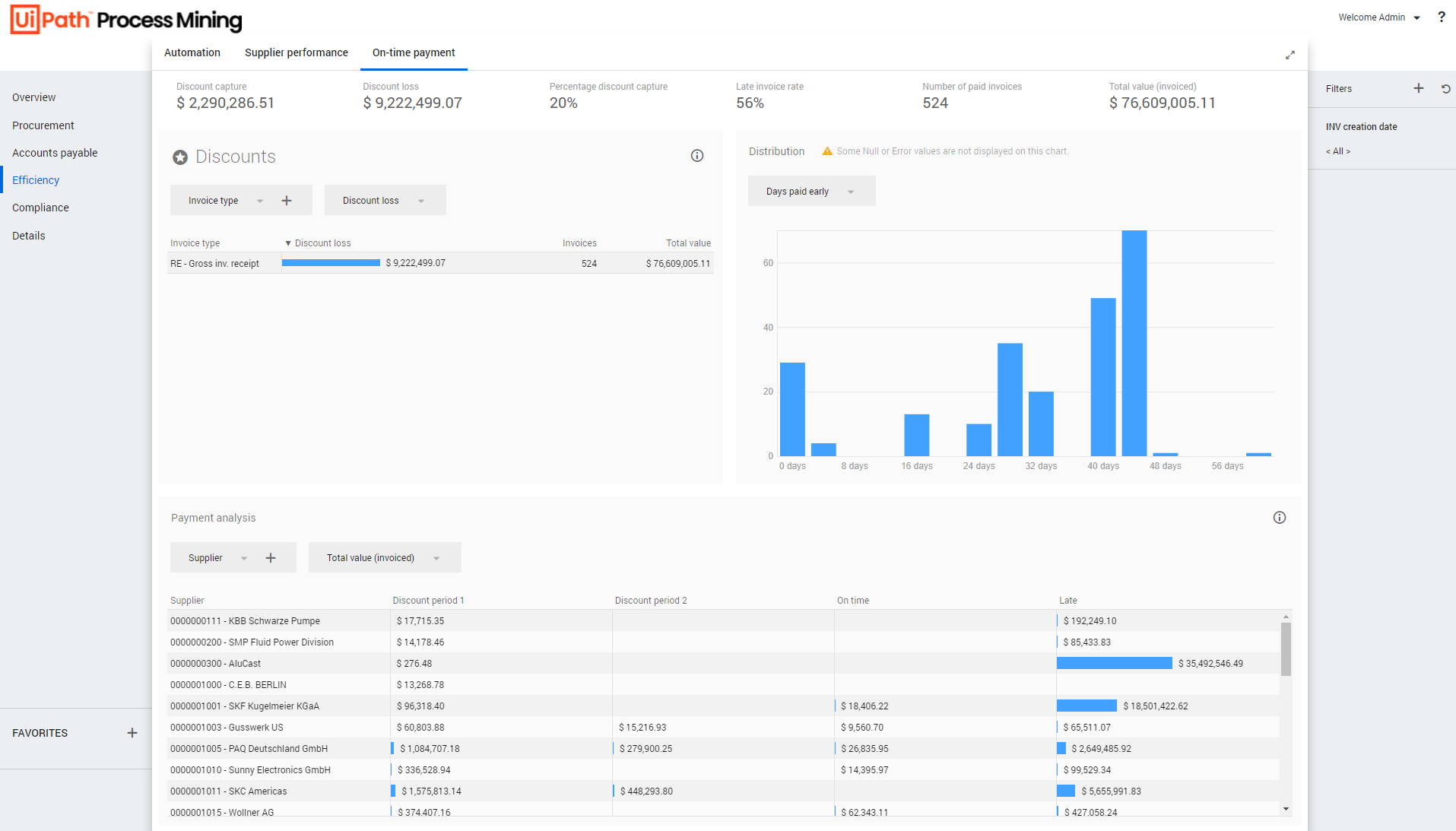
> **Efficiency - On-time payment** is the dashboard where you can monitor discounts and analyze on-time and late payments. It displays detailed information on discounts and losses caused by early or late payments. See the illustration below.
## Introduction
**Efficiency - On-time payment** is the dashboard where you can monitor discounts and analyze on-time and late payments. It displays detailed information on discounts and losses caused by early or late payments. See the illustration below.
## KPIs
Below is a description of the **KPIs** that are displayed at the top of the **Efficiency - On-time payment** dashboard.
KPI
Description
Discount capture
The total amount of discount received for paying invoices early. Note: If you click on the Discount capture KPI, the Total discount capture metric is displayed in the Discounts dashboard item.
Discount loss
The total amount discount missed by paying invoices after the discount period. Note: If you click on the Discount loss KPI, the Total discount loss metric is displayed in the Discounts dashboard item.
Percentage discount capture
The percentage of invoices that received a discount related to the total number of invoices. Note: If you click on the Percentage discount capture KPI, the Percentage discount capture metric is displayed in the Discounts dashboard item.
Late invoice rate
The percentage of invoices that were paid after the net payment period, related to the total number of invoices. Note: If you click on the Late invoice rate KPI, the Late invoice rate metric is displayed in the Discounts dashboard item.
Number of paid invoices
The total number of unique invoices which have been fully paid. Note: If you click on the Number of paid invoices KPI, the Number of invoices metric is displayed in the Payment analysis dashboard item.
Total value (invoiced)
The total amount to be paid for the invoices. Note: If you click on the Total value (invoiced) KPI, the Total value (invoiced) metric is displayed in the Payment analysis dashboard item.
## Discounts
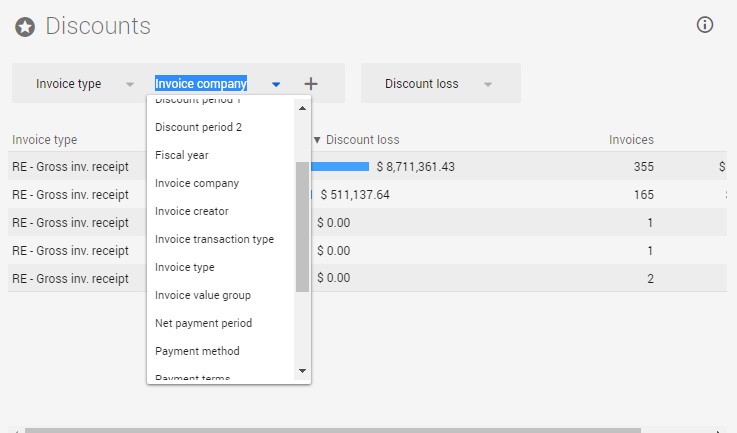
The **Discounts** dashboard item displays information on discounts. You can create different contexts to monitor discounts by selecting different attributes from the drop-down list. It is also possible to add more columns by selecting multiple attributes. See the illustration below.
### Metrics
You can create various contexts by selecting different attributes from the drop-down list. The metric selector enables you to select different metrics.
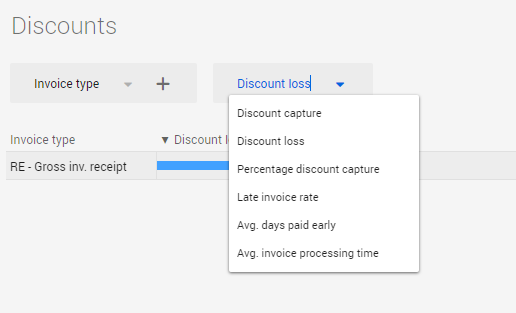
Below is a description of the metrics that can be used to analyze invoices regarding the selected attribute or attributes.
| Metric | Description |
| --- | --- |
| Discount capture | The total amount of discount received for early paying invoices created within the selected period. |
| Discount loss | The total amount discount missed by paying invoices created within the selected period after the discount period. |
| Percentage discount capture | The percentage of actual discount capture compared to the maximum possible discount capture for invoices created within the selected period. |
| Late invoice rate | The percentage of unique invoices per category which are paid late related to the number invoices created within the selected period. |
| Avg. days paid early | The average number of days the actual payment of an invoice happens before the deadline for the net payment period. |
| Avg. invoice processing time | Average number of days between the invoice date and the creation date for invoices created within the selected period. |
## Payment analysis
The **Payment analysis** dashboard item displays detailed information discount periods and payment timings.
### Metrics
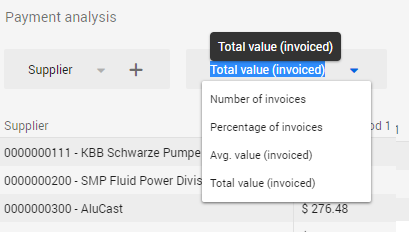
You can create various contexts by selecting different attributes from the drop-down list. The metric selector enables you to select different metrics. See the illustration below.
| Metric | Description |
| --- | --- |
| Number of invoices | The number of unique invoices created within the selected period. |
| Percentage of invoices | The percentage of unique invoices related to the number of invoices created within the selected period. |
| Avg. value (invoice) | The average value of the invoices created within the selected period. |
| Total value (invoiced) | Sum of the value of the invoices created within the selected period. |
### Root cause analysis
The [Analysis - Root cause analysis](https://docs.uipath.com/process-mining/standalone/2021.10/user-guide/p2p-procurement-root-cause-analysis#procurement---root-cause-analysis) enables you to analyze suppliers with late delivery rates in more detail. When you click on the **Root cause analysis** icon in the header of the **Discounts** dashboard item the **Analysis - Root cause analysis** dashboard will be displayed with a predefined filter to analyze **Discount lost**.
See the illustration below.
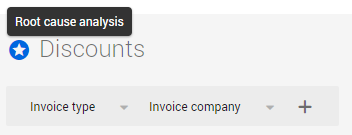
When you click on the **Back** icon in the **What influences the selection?** dashboard item in the **Root cause analysis** dashboard, you will return to the **Efficiency - On-time payment** dashboard.
## Distribution
The **Distribution** chart enables you to analyze the frequency of on-time payments based on the **Days paid early** or **Invoice processing time**. See the illustration below.
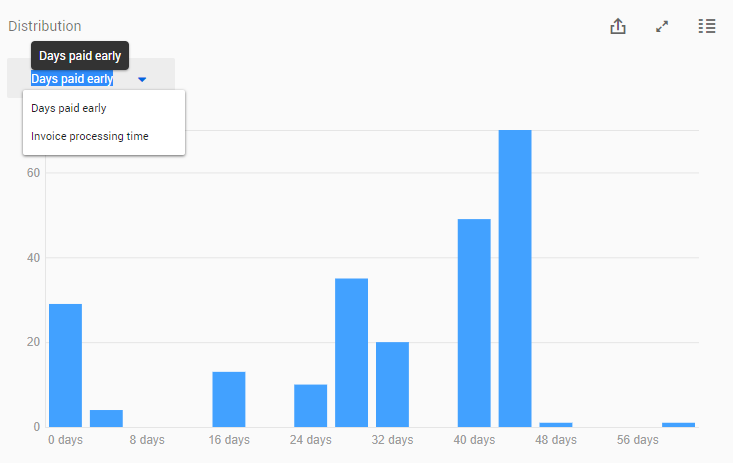
The Details button enables you to analyze invoices in more detail and opens the [Details - Invoices](https://docs.uipath.com/process-mining/standalone/2021.10/user-guide/p2p-details-invoices#details---invoices) dashboard.