# Send SMS
> `UiPath.Upwire.Activities.SendSms`
`UiPath.Upwire.Activities.SendSms`
The **Send SMS** activity uses one of your Upwire purchased numbers or approved alphanumeric callerIDs (**From**) to send an SMS message to a specified number (**To**). In addition to a simple string messages, you can also send a PIN for authentication.
## Summary
### Dependency
| Dependency | Details |
| --- | --- |
| Packages | UiPath.Upwire.Activities |
| Activities | [Upwire Scope](https://docs.uipath.com/marketplace/automation-cloud/latest/user-guide/upwire-scope#upwire-scope) |
### Attributes
| Attributes | Details |
| --- | --- |
| Inputs (Variables) | `String` Applies to property: **From**, **To**, and **Message** |
| Outputs (Variables) | N/A |
| Examples | [Quickstart](https://docs.uipath.com/marketplace/automation-cloud/latest/user-guide/upwire-quickstart#quickstart) |
## Properties
The values for the following properties are specified when adding this activity to your project in UiPath Studio.
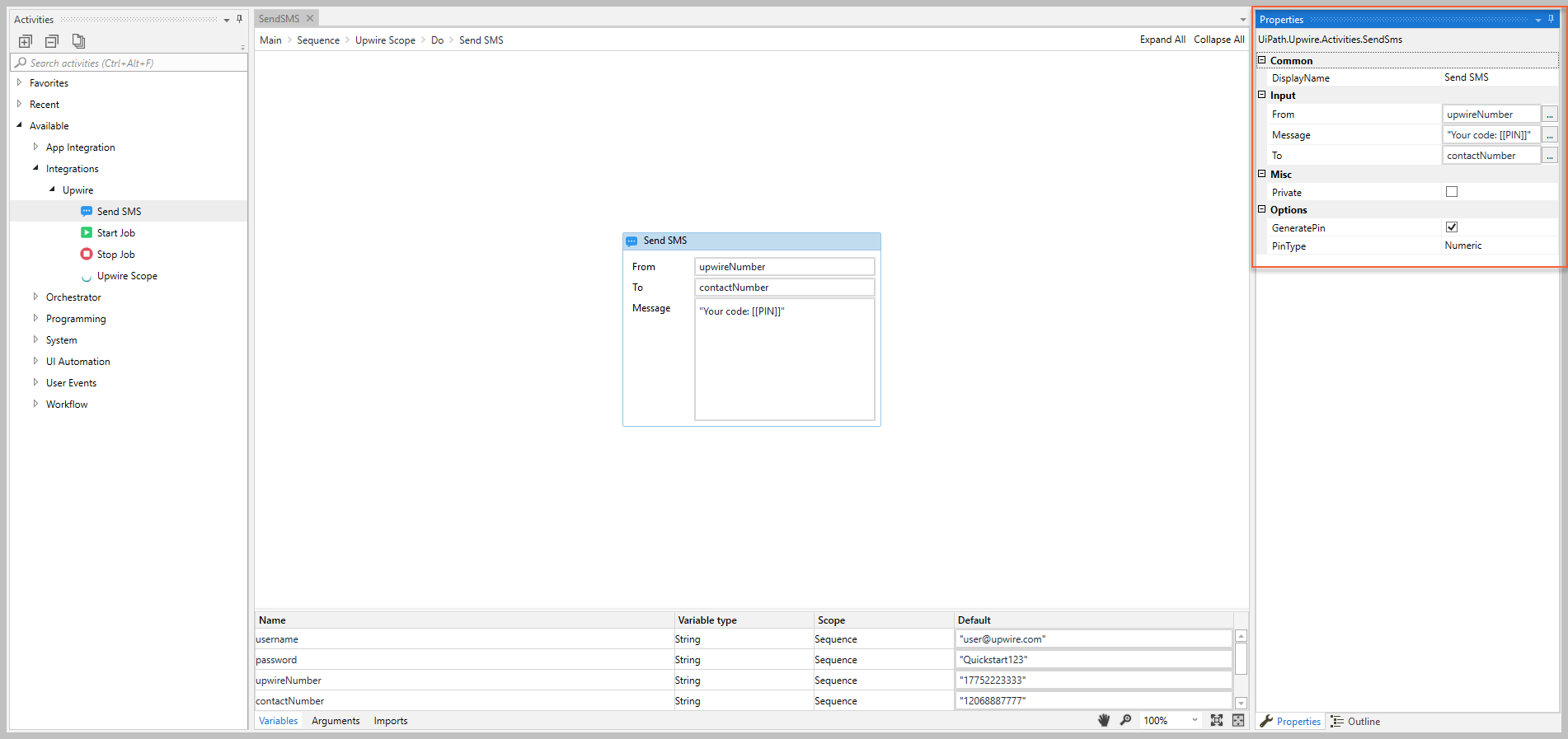
### Common
#### DisplayName
The display name of the activity.
| Attributes | Details |
| --- | --- |
| **Type** | `String` |
| **Required** | Yes |
| **Default value** | *Send SMS* |
| **Allowed values** | Enter a `String` or `String` variable. |
| **Notes** | N/A |
### Input
#### From
The Upwire purchased number or approved alphanumeric callerID that the message is sent from.
Attributes
Details
Type
String
Required
Yes
Default value
Send SMS
Allowed values
Enter a String or String variable.
Notes
You can only use a number that was purchased from Upwire and/or an alphanumeric callerID that was approved by Upwire.
For more information, see the Upwire website.
#### Message
The message content to send.
| Attributes | Details |
| --- | --- |
| **Type** | `String` |
| **Required** | Yes |
| **Default value** | Empty |
| **Allowed values** | Enter a `String` or `String` variable. |
| **Notes** | To send a generated PIN, select the **GeneratedPin** checkbox and add *[[PIN]]* in the message string. |
#### To
The mobile number that you want to receive the message.
Attributes
Details
Type
String
Required
Yes
Default value
Send SMS
Allowed values
Enter a String or String variable.
Notes
The number must start with a valid country code.
Enter number values only; do not include spaces, dashes (-), or other characters (e.g., +)
### Misc
#### Private
If selected, the values of variables and arguments are no longer logged at Verbose level.
| Attributes | Details |
| --- | --- |
| **Type** | Checkbox |
| **Required** | No |
| **Default value** | Not Selected |
| **Allowed values** | Selected or Not Selected |
| **Notes** | N/A |
### Options
#### GeneratedPin
If selected, adding *[[PIN]]* in the **Message** is replaced with a generated code.
| Attributes | Details |
| --- | --- |
| **Type** | Checkbox |
| **Required** | No |
| **Default value** | Not Selected |
| **Allowed values** | Selected or Not Selected |
| **Notes** | You must include *[[PIN]]* in the **Message** when this property is selected, otherwise the recipient will not see the generated code. |
#### GeneratedPin
The type of **GeneratedPin** that you want to generate.
| Attributes | Details |
| --- | --- |
| **Type** | Drop-down list |
| **Required** | No (If **GeneratedPin** is selected, this property is required) |
| **Default value** | *Numeric* |
| **Allowed values** | Select either *Numeric* or *Alphanumeric* |
| **Notes** | N/A |