# Automation Hub Idea Applications
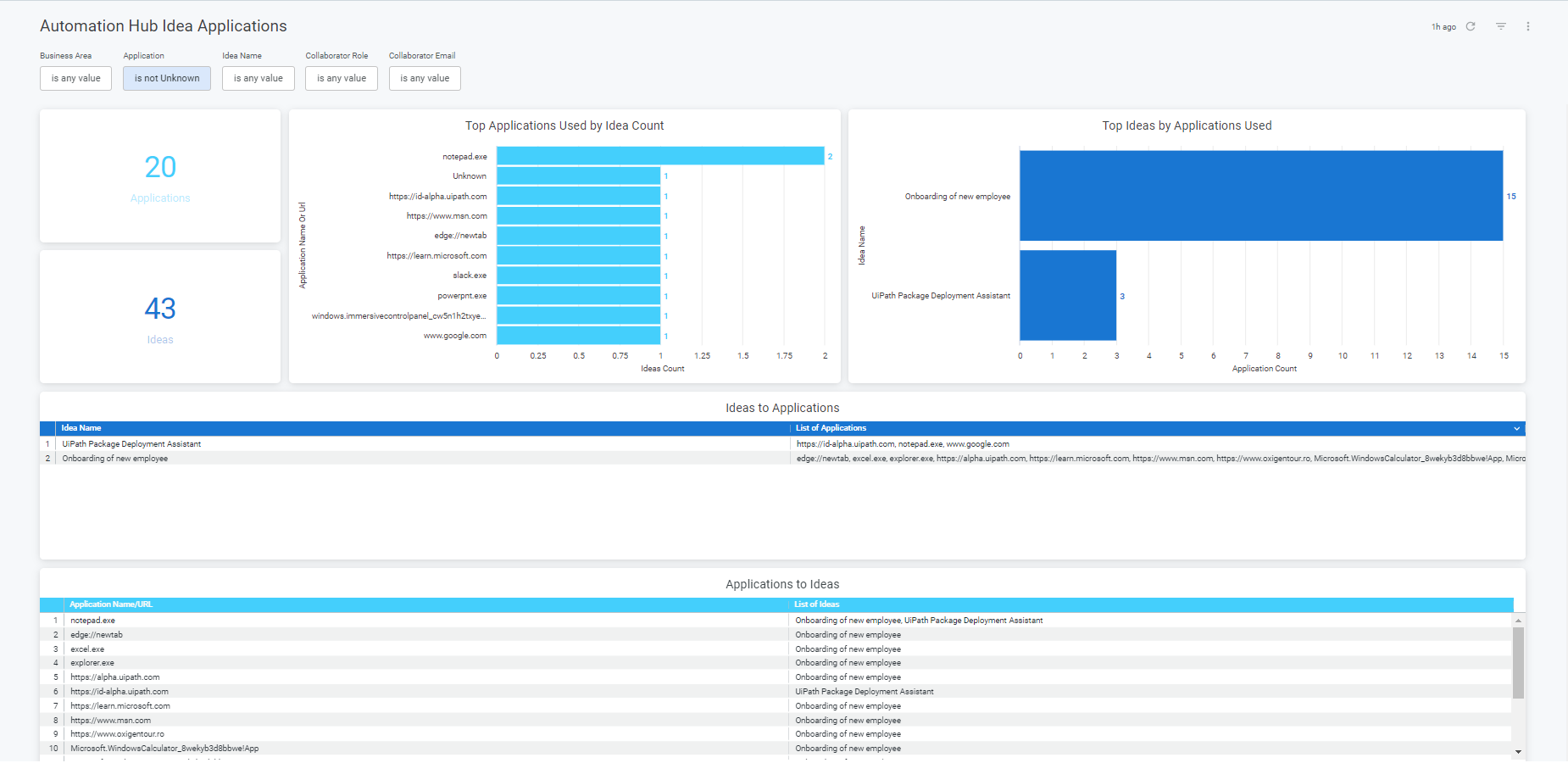
> The **Idea Applications** template allows you to combine data from **Automation Hub** and **Orchestrator** in order to:
## Overview
The **Idea Applications** template allows you to combine data from **Automation Hub** and **Orchestrator** in order to:
* Discover which Applications or URLs are used in a Studio package for each idea.
* Audit Application usage and how many ideas depend on it.
* Uncover Top Ideas which use most applications.
:::note
In order to have data populating the Idea Applications dashboard, you must first go into Automation Hub and link the Automation Hub ideas to the Orchestrator Packages, as part of the Execution Assessment available in each live idea.
:::
## Prerequisites
In addition to the steps needed to [enable Insights connection](https://docs.uipath.com/insights/automation-cloud/latest/user-guide/enable-insights-connection), the following roles and permissions are needed to use **Automation ROI Comparison**:
* Viewer or Designer and ROI Editor role in Insights
* Packages - View permission at tenant level in Orchestrator
## Filters
Table 1.
| Filter | Description |
| --- | --- |
| **Business Area** | The level 1 category of an idea |
| **Application** | Name of the application as identified in the Studio project at build time |
| **Idea Name** | Idea Name, as defined in the field Automation Name |
| **Collaborator Role** | Role of the collaborator |
| **Collaborator Email** | Email address of the collaborator |
## Metrics
Table 2.
Tile
Metrics
Description
Applications
The number of unique applications.
The total number of unique applications.
Ideas
The number of submitted ideas.
The total number of submitted ideas.
Top Applications Used by Idea Count
Application Name or Url: URL if the application is web application else it is application name. It shows as unknow if both application and URL are parameter.
Ideas Count: total number of submitted Ideas
Application names or URLs are grouped by the total number of ideas
Top Ideas by Applications Used
Idea Name: idea name, as defined in the field Automation Name.
Application Count: total number of applications used.
Idea names are grouped by the total number of applications used.
Ideas to Applications
Idea Name: idea name, as defined in the field Automation Name.
List of Applications: concatenates all unique application names.
Use this tile to check all the applications used by each idea.
Applications to Ideas
Application Name/Url: URL if the application is web application else it is application name. It shows as unknow if both application and URL are parameter.
List of Ideas: concatenates all idea names.
Use this tile to check in which idea is each application used.
## Customizing Automation Hub Dashboards
You can copy the **Automation Hub Ideas Application** template to **My Dashboard** where you can configure filters and modify or rearrange tiles (see [Create dashboard](https://docs.uipath.com/insights/automation-cloud/latest/user-guide/working-with-automation-hub-dashboards)).