# April 2024
> We are excited to announce that Document Understanding Active Learning is now in General Availability. With this new interface and experience, model training is significantly improved by leveraging AI to guide you through the process with automatic annotation and expert-level recommendations on how to improve your model accuracy with the most informative datasets.
## General Release Notes - Document UnderstandingTM
### 29 April
#### **Active Learning in Document Understanding General Availability**
We are excited to announce that Document Understanding Active Learning is now in General Availability. With this new interface and experience, model training is significantly improved by leveraging AI to guide you through the process with automatic annotation and expert-level recommendations on how to improve your model accuracy with the most informative datasets.
The new experience is organized into four components:
* [Build](https://docs.uipath.com/document-understanding/automation-cloud/latest/user-guide/build): Get your documents automatically classified and annotated, then follow the recommendations to achieve the highest model accuracy with active learning.
* [Measure](https://docs.uipath.com/document-understanding/automation-cloud/latest/user-guide/measure): Measure your model performance and get further guidance on how to improve it with the most efficient model training.
* [Publish](https://docs.uipath.com/document-understanding/automation-cloud/latest/user-guide/publish): Publish the projects and consume them in RPA or API automations.
* [Monitor](https://docs.uipath.com/document-understanding/automation-cloud/latest/user-guide/monitor): Monitor the performance of your automations and easily drill down into fine-grained document level audit. **Erratum - added 7 May 2024:** The **Project Performance** dashboard is still in Public Preview. Check our Release Notes for the latest updates on this and other Document Understanding features and improvements.
:::note
Before you start using Document Understanding modern projects, make sure that you have an [API Key](https://docs.uipath.com/document-understanding/automation-cloud/latest/user-guide/api-key) generated in Automation Cloud™, Admin > Licenses > Consumables > AI Units page. Once generated, allow for up to 20 minutes for changes to be propagated in the system.
:::
### 18 April
#### Improvements
* The model version is no longer displayed in the **Document type settings** dialog.
* You can no longer change the document type in the **View Document Panel** while processing the document.
### 11 April
#### What's new
* You can now import zip files with Document Manager datasets into your Document Understanding Modern project. For more information on how to export documents in Document Manager, check the [Export Documents](https://docs.uipath.com/document-understanding/automation-cloud/latest/classic-user-guide/document-manager-export-documents) page.
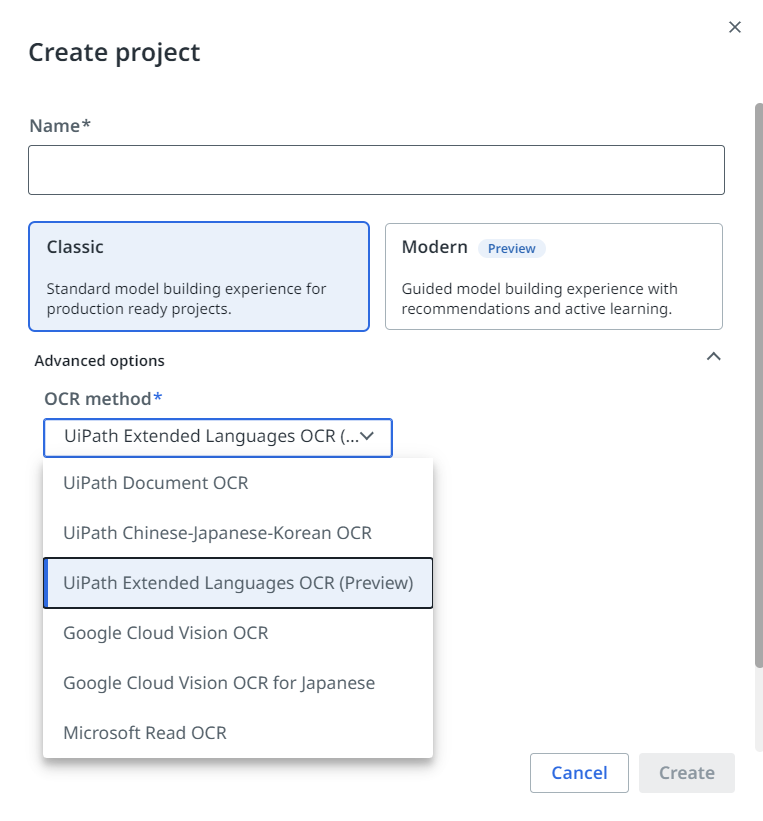
* When creating a new project or editing project settings, you can now select the desired OCR engine from a drop-down list.
#### Improvements
* You can now use project-level access management from the **Manage access** menu, next to **Project settings**.
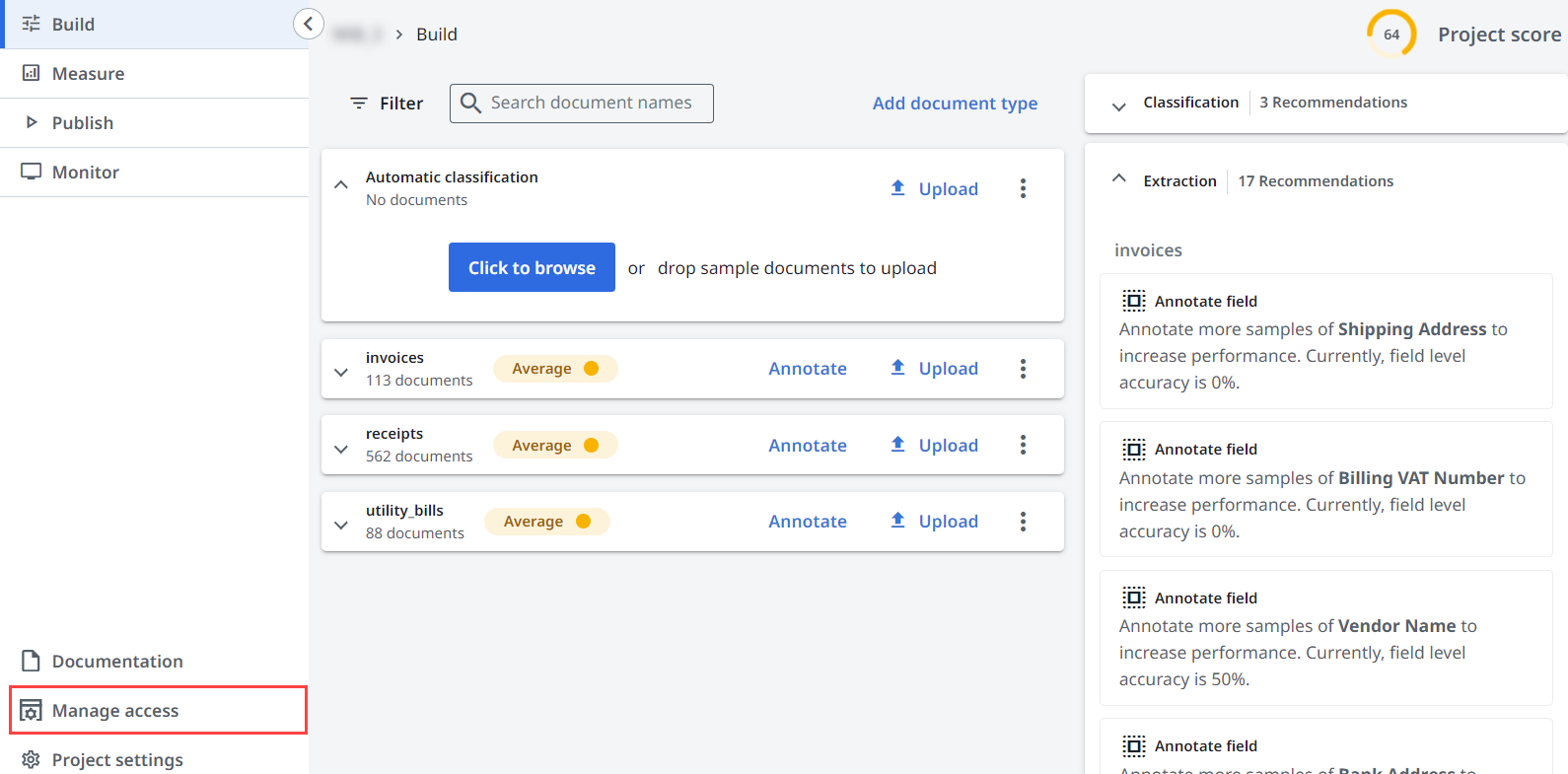
* The Project score is simplified in the **Measure** section and no longer includes the percentage (%) symbol.
### 4 April
#### Improvements
* The words in a document are now highlighted when you select a cell from a table.
* We introduced a new column, **Deployment Tag**, in the **Publish** section. This tag helps you quickly visualize where a project version is deployed. You can also sort the project versions by **Deployment Tag**.
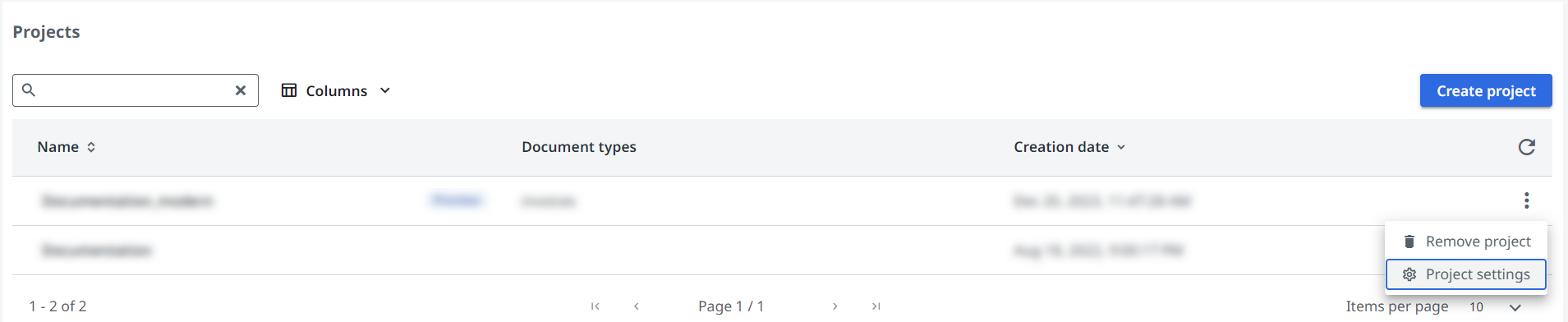
* You can now access project settings from the **Projects** list menu. To do this, open the three-dot menu **⋮** of the desired project from the list and select **Project settings**.
### 1 April
#### Support for API keys ending in March 2025
In our continual efforts to maintain the highest levels of security and user experience, we have decided to phase out [API Keys](https://docs.uipath.com/automation-cloud/automation-cloud/latest/api-guide/api-keys) authentication in March 2025.
We recommend using External Applications and Personal Access Tokens (PATs) as the primary method of authentication.
#### Expiry of API tokens
Current API Tokens will undergo no immediate changes – they will be supported until March 2025. Please note that after this date, API Keys will be removed from our authentication method offerings.
#### Migration to new authentication methods
Users currently using API Keys are strongly encouraged to transition to using [External Applications](https://docs.uipath.com/automation-cloud/automation-cloud/latest/api-guide/accessing-uipath-resources-using-external-applications) or [PATs](https://docs.uipath.com/automation-cloud/automation-cloud/latest/api-guide/personal-access-tokens) as soon as possible. This shift not only aligns with best practices for OAuth 2.0 but also ensures a much securer and manageable authentication process.
Check out [Migrating from API Keys to PATs](https://docs.uipath.com/overview/other/latest/overview/migrating-from-api-keys-to-personal-access-tokens) for step-by-step instructions on the switch.
## General Release Notes - Document UnderstandingTM Classic Experience
### 23 April
#### What's new
In our ongoing efforts to enhance your user experience, we updated the names of some roles in Document Understanding for better consistency with our products:
* **Document Understanding Contributor** is now named **Document Understanding Developer**
* **Document Understanding Data Labeler** is now named **Document Understanding Model Trainer**
### 18 April
#### Bug fixes
Fixed an issue that caused the entire page scrolling in the Forms AI page, instead of just the PDF viewer.
### 11 April
#### What's new
When creating a new project or editing project settings, you can now select the desired OCR engine from a drop-down list.

#### Improvements
You can now navigate through the pages of a document and rotate a page when viewing a document in Document Manager and Forms AI.
### 4 April
#### Improvements
* The words in a document are now highlighted when you select a cell from a table.
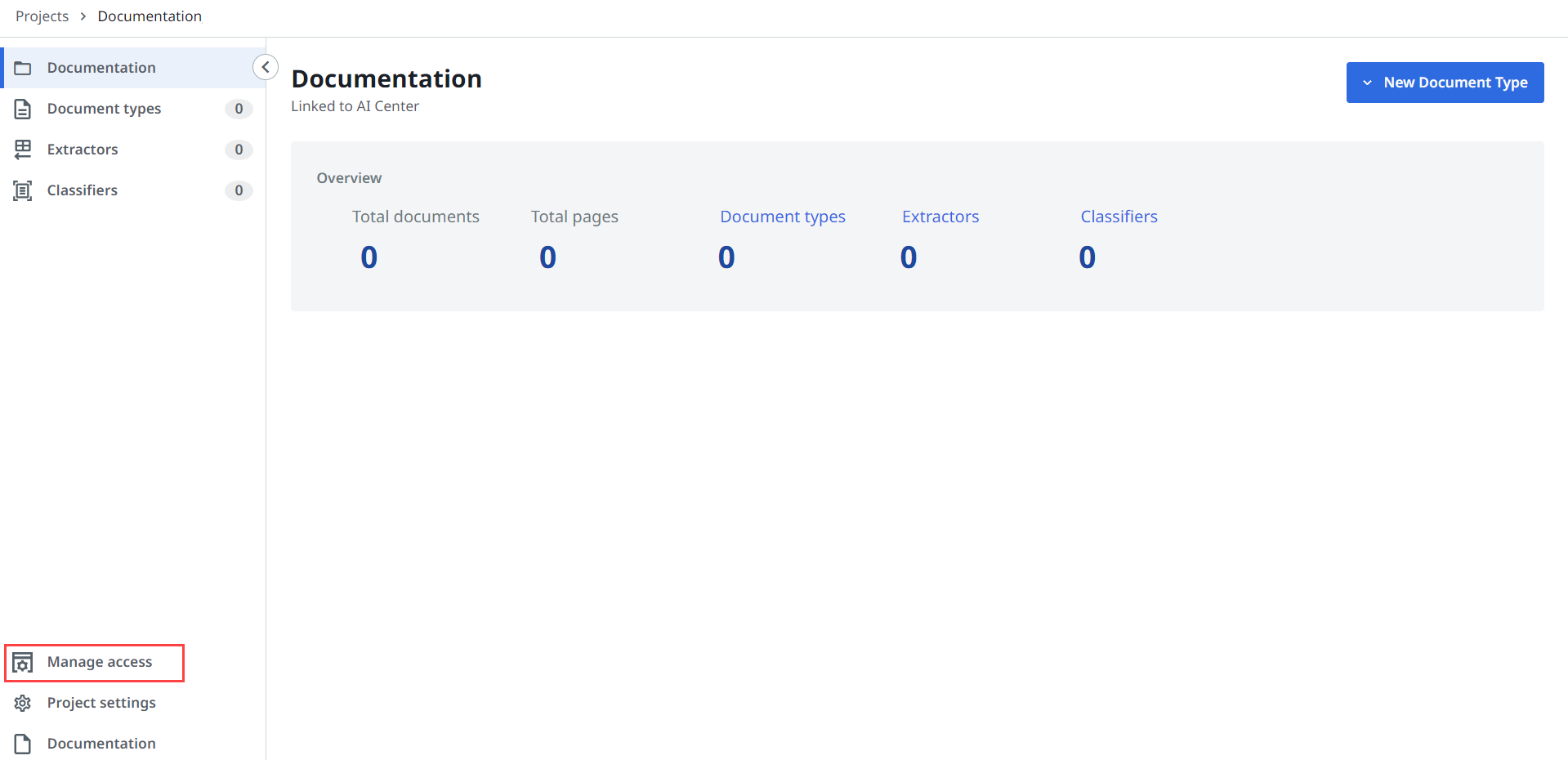
* You can now access project-level access management from the **Manage access** menu, next to **Project settings**.
* You can now access project settings from the **Projects** list menu. To do this, open the three-dot menu **⋮** of the desired project from the list and select **Project settings**.

### 1 April
#### Support for API keys ending in March 2025
In our continual efforts to maintain the highest levels of security and user experience, we have decided to phase out [API Keys](https://docs.uipath.com/automation-cloud/automation-cloud/latest/api-guide/api-keys) authentication in March 2025.
We recommend using External Applications and Personal Access Tokens (PATs) as the primary method of authentication.
#### Expiry of API tokens
Current API Tokens will undergo no immediate changes – they will be supported until March 2025. Please note that after this date, API Keys will be removed from our authentication method offerings.
#### Migration to new authentication methods
Users currently using API Keys are strongly encouraged to transition to using [External Applications](https://docs.uipath.com/automation-cloud/automation-cloud/latest/api-guide/accessing-uipath-resources-using-external-applications) or [PATs](https://docs.uipath.com/automation-cloud/automation-cloud/latest/api-guide/personal-access-tokens) as soon as possible. This shift not only aligns with best practices for OAuth 2.0 but also ensures a much securer and manageable authentication process.
Check out [Migrating from API Keys to PATs](https://docs.uipath.com/overview/other/latest/overview/migrating-from-api-keys-to-personal-access-tokens) for step-by-step instructions on the switch.