# AI Units
> :::tip
To track your AI units consumption at organization and tenant level, check the following pages:
* [Monitoring license allocation](https://docs.uipath.com/automation-cloud/automation-cloud/latest/admin-guide/monitoring-license-allocation#ai-units-consumption-overview) page
from the Automation CloudTM Admin Guide for organization level consumption.
* [AI units tenant level consumption overview](https://docs.uipath.com/insights/automation-cloud/latest/user-guide/ai-units-consumption-overview) page from
the Insights Guide for tenant level consumption. To track your AI units consumption for Document UnderstandingTM and AI Center projects, check the [Document Understanding and AI Center consumption dashboard](https://docs.uipath.com/insights/automation-cloud/latest/user-guide/document-understanding-ai-units-consumption) page from the Insights user guide.
:::
## Overview
:::tip
To track your AI units consumption at organization and tenant level, check the following pages:
* [Monitoring license allocation](https://docs.uipath.com/automation-cloud/automation-cloud/latest/admin-guide/monitoring-license-allocation#ai-units-consumption-overview) page
from the Automation CloudTM Admin Guide for organization level consumption.
* [AI units tenant level consumption overview](https://docs.uipath.com/insights/automation-cloud/latest/user-guide/ai-units-consumption-overview) page from
the Insights Guide for tenant level consumption. To track your AI units consumption for Document UnderstandingTM and AI Center projects, check the [Document Understanding and AI Center consumption dashboard](https://docs.uipath.com/insights/automation-cloud/latest/user-guide/document-understanding-ai-units-consumption) page from the Insights user guide.
:::
**AI Units** is the measure used to license AI products. AI Units are charged based on consumption when the models are bringing value to you.
For more general information on AI units consumption for our AI products, check out the **Metering and charging logic** and **License tracking** sections.
For specific details on AI units consumption for Process Mining, check out the [License](https://docs.uipath.com/process-mining/automation-cloud/latest/user-guide/pm-enabling-the-service-in-automation-cloud#license) page in the Process Mining guide.
You can also allocate and track AI units consumption at tenant level. Check the tenant-level allocation pages for more details:
* Automation CloudTM - [Automation Cloud - Allocating licenses to tenants](https://docs.uipath.com/automation-cloud/automation-cloud/latest/admin-guide/allocating-licenses-to-tenants)
* Automation Suite - [Automation Suite - Allocating robot and service licenses to tenants](https://docs.uipath.com/automation-suite/automation-suite/2023.10/admin-guide/allocating-robot-and-service-licenses-to-tenants)
:::note
By default, each tenant is allocated 0 AI units, and all AI units are consumed from the account pool. If there are no AI units allocated to the tenant, AI units are consumed from the organization account pool. In case all AI Units are consumed from the tenant pool, then the admin needs to allocate more on that specific tenant.
:::
:::note
**Units consumption in cross-tenant and cross-organization scenarios**
When an AI Center model is hosted in a different tenant or organization than the automation calling it, units are charged to the **model-hosting tenant** — not the automation tenant. Enforcement settings on the automation tenant do not apply to this consumption. To control AI Center units through enforcement, configure enforcement on the model-hosting tenant. For more information, see [Tenant consumption enforcement](https://docs.uipath.com/automation-cloud/automation-cloud/latest/admin-guide/about-tenant-consumption-enforcement).
:::
## Metering and charging logic
### General logic
This page contains specific information regarding AI Units depending on the used activity, covering the cost for every AI product.
To calculate the overall consumption cost, the following formula is used:
`prediction cost` + `hardware cost` = `consumption cost`
For more information, check the following sections:
* Prediction cost
* Hardware cost
### Prediction cost
To calculate the prediction cost, the following formula is used:
`input size` x `unit cost of the model` = `prediction cost`
For example, the consumption for **UiPath Custom Named Entity Recognition** model with input size `5000 characters` is as follows:
5000 characters = 3 units Consumption: `3 units` x `0.5` (unit cost) = `1.5 AI Units`
#### Input size
Model
Input type
Input size
Computed input size
Document Understanding TM (UiPath and Customer-Managed third party)
Document
1 page
Number of pages in the input document
Communications Mining
JSON
1 message
Number of messages per mailbox or ticketing system
AI Computer Vision
Image
1 image
Always 1
Task Mining
Dataset
1 dataset
Always 1
GenAI Activities
String
String size limit is different for each model
Other models
JSON
2000 characters = 1 unit
Ceil(length(input)/2000)
File
5 MB = 1 unit
Ceil(size/5MB)
Files
5 MB = 1 unit
Ceil(sum(size(input))/5MB)
#### Model used
| Model | When we charge | Unit cost |
| --- | --- | --- |
| Document UnderstandingTM (UiPath and Customer-Managed third party) | Per prediction | For a list of all Document Understanding models, check the [Metering & Charging Logic](https://docs.uipath.com/document-understanding/automation-cloud/latest/classic-user-guide/metering-charging-logic) page from the Document Understanding guide. |
| AI Computer Vision | Per prediction | 0 |
| Models in preview (like UiPath Image Classification) | Per prediction | 0 |
| Task Mining | Per successful pipeline | 5000 |
| Communications Mining | Per message uploaded, modified, or predicted | 1 - for more information on **Communications Mining** charging logic, check the [official documentation](https://docs.uipath.com/communications-mining/automation-cloud/latest/developer-guide/introduction). |
| UiPath Light Text classifier | Per prediction | 0.2 |
| UiPath Multilingual classifier | Per prediction | 0.5 |
| UiPath Custom Named Entity Recognition | Per prediction | 0.5 |
| Open Source packages | Per prediction | 0.1 |
| GenAI Activities | Per execution | 1 - without Context grounding 2 - with Context grounding |
:::note
Except for Task Mining, running a pipeline or deploying an ML Skill only consumes AI Units related to hardware consumption.
:::
### Hardware cost
The hardware cost at the time of deploying ML Skills is calculated as follows:
`replicas` x `resource cost`
The default replica count depends on the account type:
* Enterprise account: 2
* Other account types: 1
:::note
Availability is increased by increasing the number of replicas. High Availability (HA) is not guaranteed if user reduces the number of replicas to 1.
:::
Use the following table to check the resource cost for ML Skills.
| Hardware | Unit Cost |
| --- | --- |
| 0.5 CPU 2 GB RAM (default) | 1 AI Unit / replica / hour |
| 1 CPU 4 GB RAM | 2 AI Units / replica / hour |
| 2 CPU 8 GB RAM | 4 AI Units / replica / hour |
| 4 CPU 16 GB RAM | 8 AI Units / replica / hour |
| 6 CPU 24 GB RAM | 12 AI Units / replica / hour |
| GPU | 20 AI Units / replica / hour |
For hardware cost related to Pipelines, check the following table.
| Hardware | Unit Cost |
| --- | --- |
| CPU | 6 AI Units / hour |
| GPU | 20 AI Units / hour |
:::note
Any hour started is charged.
:::
## Consumption example
### Background information
To automate a given process, you need to use the two following UiPath models:
* [Multilingual Text Classication](https://docs.uipath.com/ai-center/automation-cloud/latest/user-guide/multilingual-text-classification#multilingual-text-classification)
* [Invoices](https://docs.uipath.com/document-understanding/docs/ml-packages#out-of-the-box-pre-trained-ml-packages)
The first step is to train the **Multilingual Text Classification** model on your dataset. The training takes 6 hours and 30 minutes using GPU.
After deploying both models as HA skills, they are running on CPU for three months. During this time, the **Multilingual Text Classification** model processed 20,000 texts, all around 3,000 characters, while the **Invoices** model processed 10,000 invoices containing 2 pages each.
### Calculating total consumption
* AI Units consumed for training **Multilingual Text Classification**:
`7` (hours) x `20` (AI units per hour for GPU) = `140 AI Units`
* AI Units consumed for hosting **Multilingual Text Classification** for three months:
`24` (hours in day) x `90` (number of days) x `2` (AI units per hour) = `4320 AI Units`
* AI Units consumed for hosting **Invoices** for three months:
`24` (hours in day) x `90` (number of days) x `2` (AI units per hour) = `4320 AI Units`
* AI Units consumed for predictions made using **Multilingual Text Classification**:
`20000` (number of predictions) x `2` (input size) x `0.5` (unit cost) = `20000 AI Units`
* AI Units consumed for predictions made using **Invoices**:
`10000` (number of predictions) x `2` (input size) x `1` (unit cost) = `20000 AI Units`
* **AI Units consumed in total**:
`hardware cost` + `predictions cost` = (`140` + `4320` + `4320`) + (`20000` + `20000`) = `48780 AI Units`
## License tracking
AI Units are tracked under **AI Units** for all scenarios.
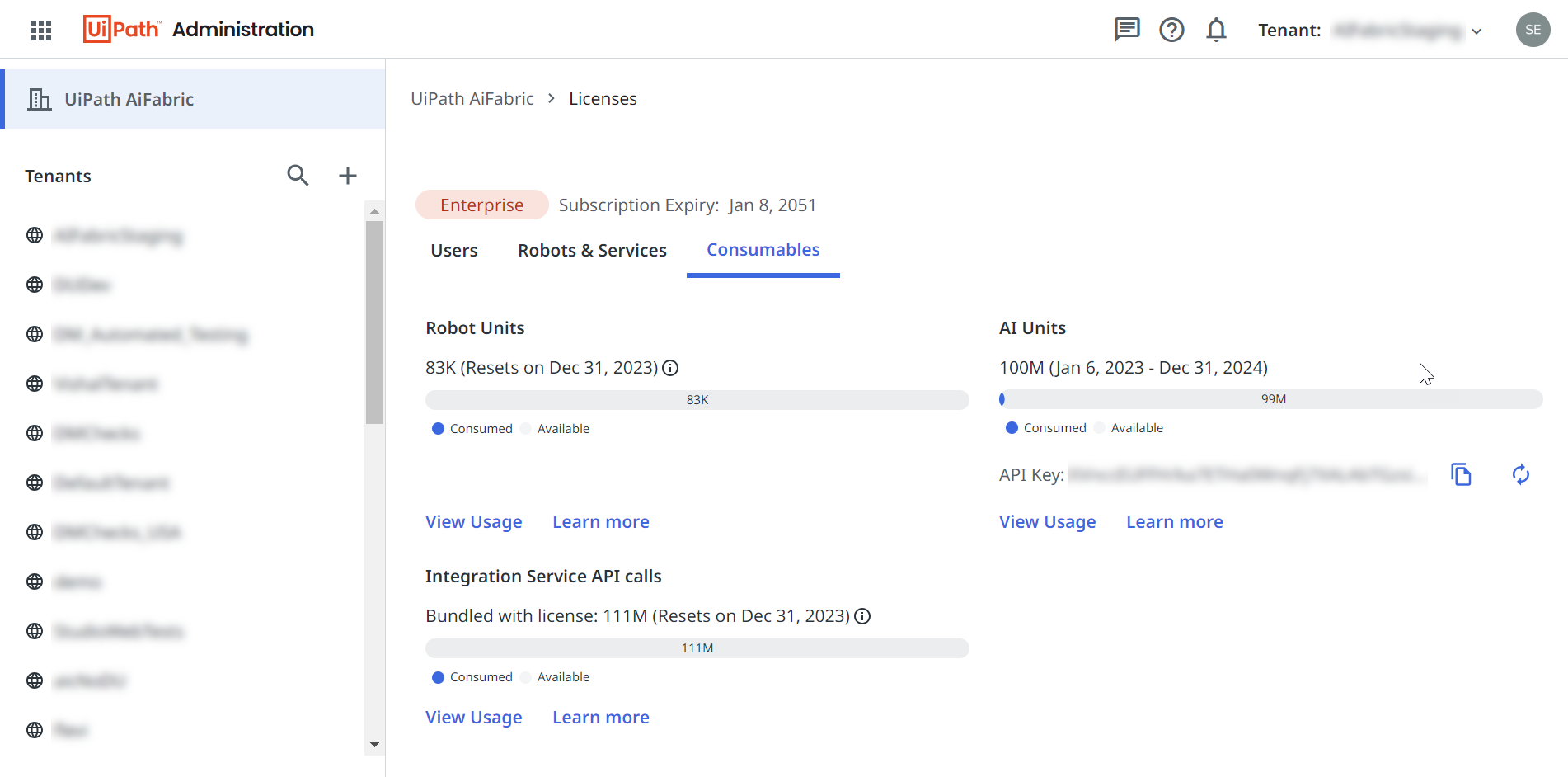
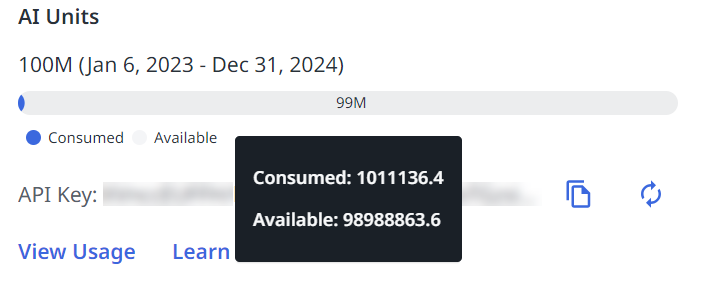
If you hover your mouse over the bar from the **AI Units** section, a pop-up is displayed. You can check this pop-up to view your exact consumption.