# Get Chats
> The **Get Chats** activity uses the Microsoft Graph [ListChats](https://docs.microsoft.com/en-us/graph/api/chat-list?view=graph-rest-beta&tabs=http) API to retrieve all the chats the user is a member of (user determined by the connection established via the [Microsoft Teams Scope](https://docs.uipath.com/activities/other/latest/legacy-integrations/microsoft-teams-scope#microsoft-teams-scope) activity).
## Overview
The **Get Chats** activity uses the Microsoft Graph [ListChats](https://docs.microsoft.com/en-us/graph/api/chat-list?view=graph-rest-beta&tabs=http) API to retrieve all the chats the user is a member of (user determined by the connection established via the [Microsoft Teams Scope](https://docs.uipath.com/activities/other/latest/legacy-integrations/microsoft-teams-scope#microsoft-teams-scope) activity).
After performing the search, the activity outputs the chat properties in a `Chat[]` object that you can use as input variables in subsequent activities (e.g., `Chat.Id` in [Get Messages](https://docs.uipath.com/activities/other/latest/legacy-integrations/microsoft-teams-get-messages#get-messages), [Send Message](https://docs.uipath.com/activities/other/latest/legacy-integrations/microsoft-teams-send-message#send-message), etc.).
## How It Works
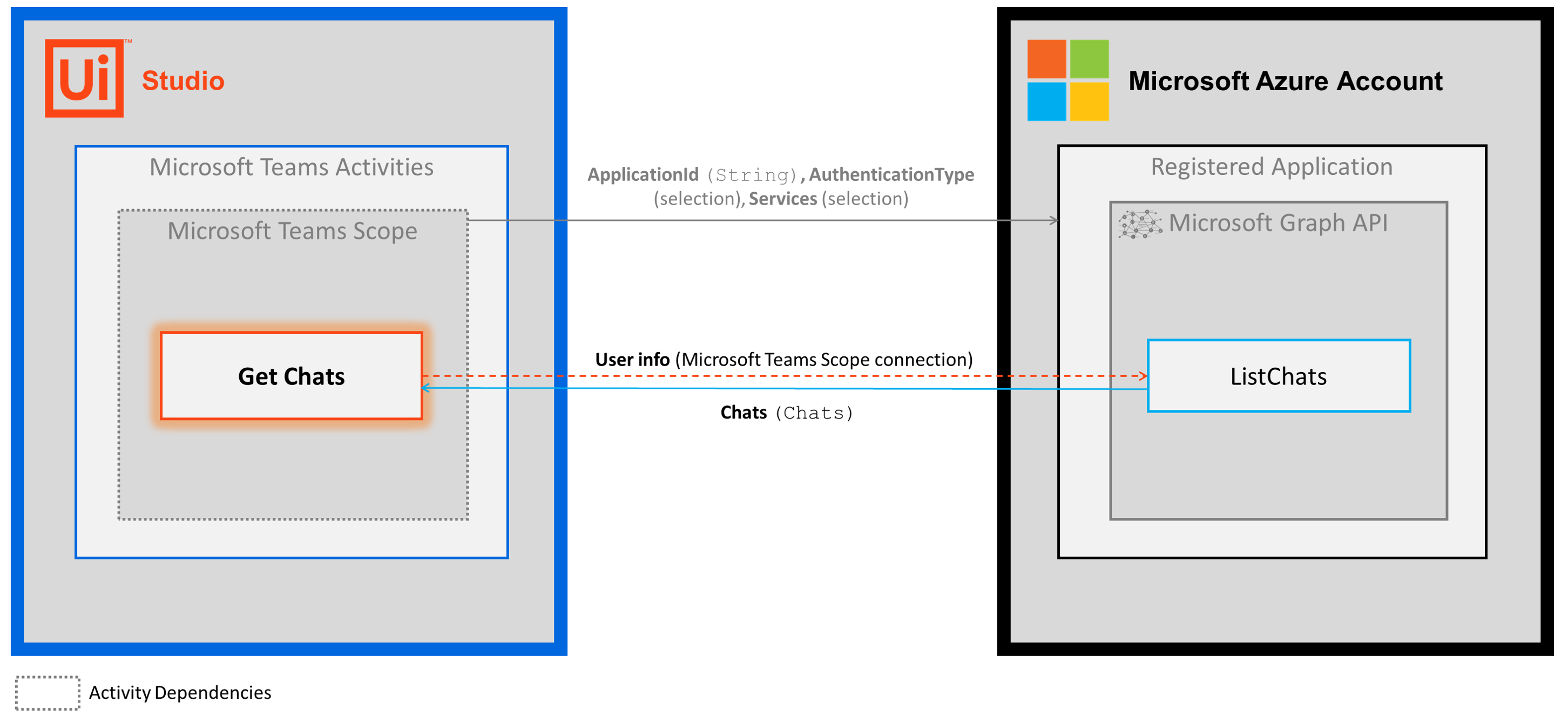
The following steps and message sequence diagram is an example of how the activity works from design time (i.e., the activity dependencies and input/output properties) to run time.
1. Complete the [Setup](https://docs.uipath.com/activities/other/latest/legacy-integrations/microsoft-teams-setup#setup) steps.
2. Add the [Microsoft Teams Scope](https://docs.uipath.com/activities/other/latest/legacy-integrations/microsoft-teams-scope#microsoft-teams-scope) activity to your project.
3. Add the **Get Chats** activity inside the **Microsoft Teams Scope** activity.
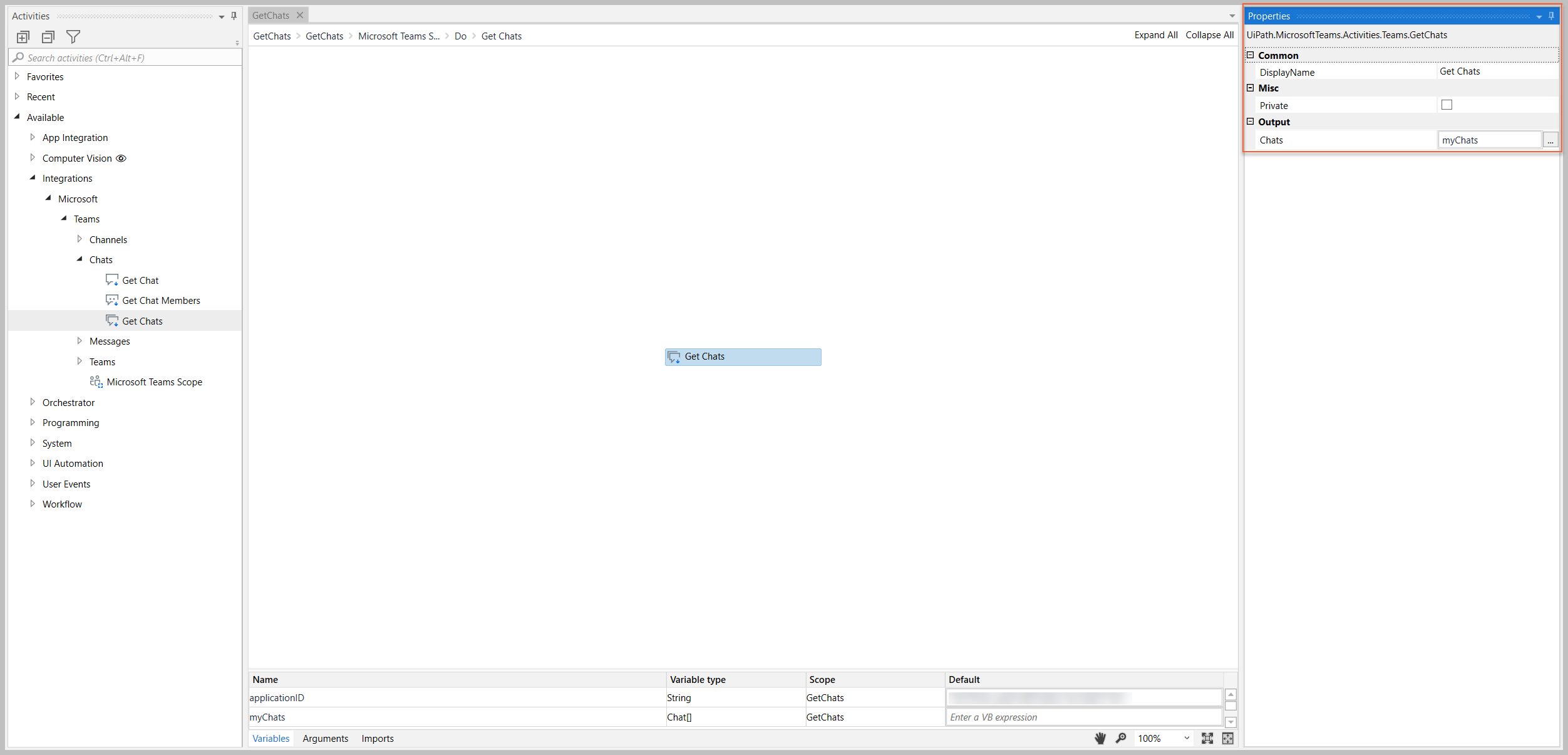
4. Create and enter a `Chat[]` variable for your [Output](https://docs.uipath.com/activities/other/latest/legacy-integrations/microsoft-teams-get-chats#output) property.
5. Run the activity.
* Your input property values are sent to the [ListChats](https://docs.microsoft.com/en-us/graph/api/chat-list?view=graph-rest-beta&tabs=http) API.
* The API returns the `Chat[]` value to your output property variable.
## Properties
The values for the following properties are specified when adding this activity to your project in UiPath Studio.
### Common
#### DisplayName
The display name of the activity.
| Attributes | Details |
| --- | --- |
| **Type** | `String` |
| **Required** | Yes |
| **Default value** | *Get Chats* |
| **Allowed values** | Enter a `String` or `String` variable. |
| **Notes** | N/A |
### Misc
#### Private
If selected, the values of variables and arguments are no longer logged at Verbose level.
| Attributes | Details |
| --- | --- |
| **Type** | Checkbox |
| **Required** | No |
| **Default value** | Not Selected |
| **Allowed values** | Selected or Not Selected |
| **Notes** | N/A |
### Output
#### Chats
An array of chats (`Chat[]` object) that match the user is a member of.
Attributes
Details
Type
Chat[]
Required
No (required if you plan to use the output data in subsequent activities)
Default value
Empty
Allowed values
Enter a Chat[] variable.
Notes
The variable you create for this property can be used as an input variable in subsequent activities (e.g., Get Messages, Send Message, etc.) * When using this variable as an input property value, specify the item in the array that you want to use (e.g., myChats(0) ).
The Chat object includes multiple properties that you can use in other activities.The example image below shows some of the properties that you can return.
/Note - some properties listed in the designer are not applicable to the Chat object (e.g., ODatatType). For a list of the applicable Team properties, visit the links above.
## Example
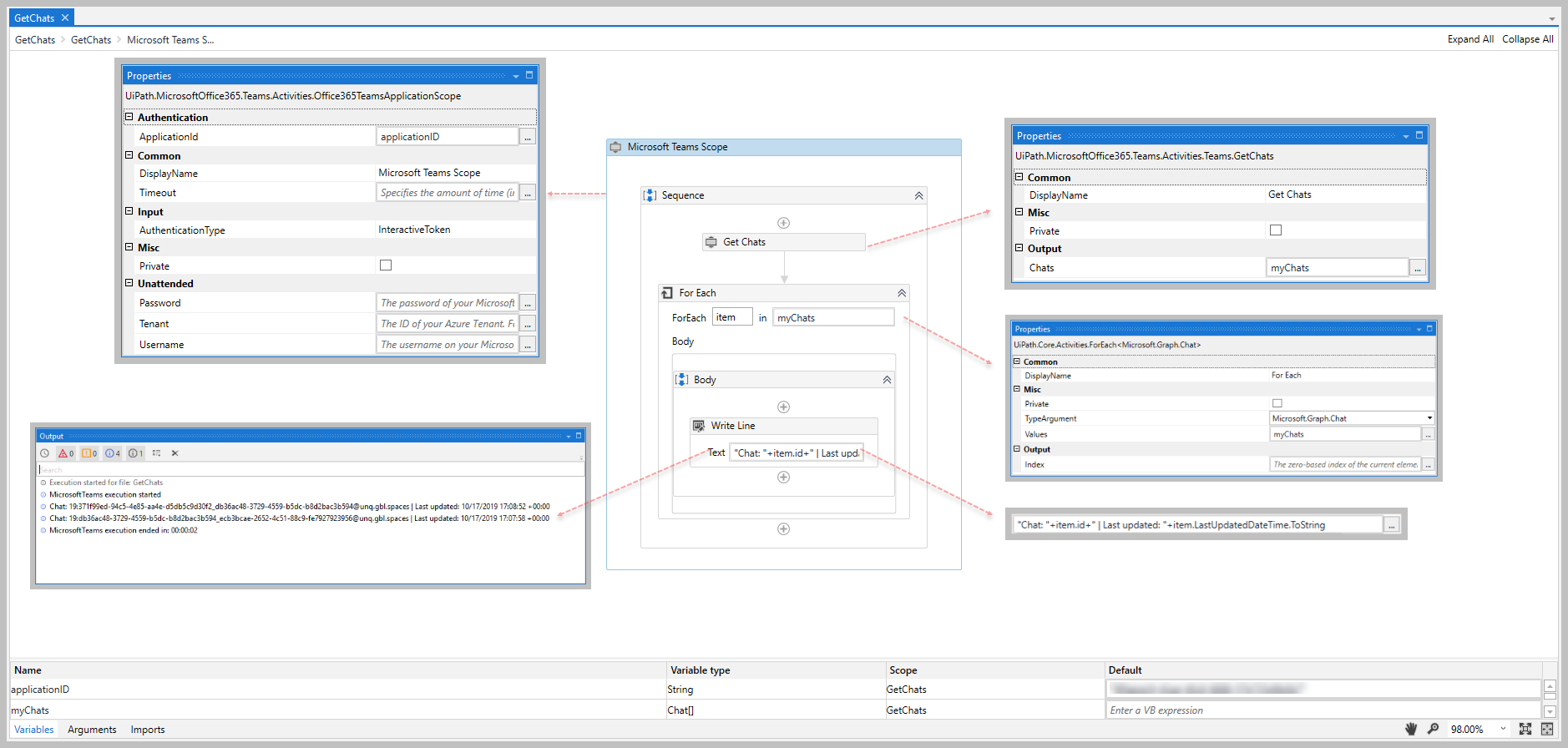
The following image shows an example of the activity dependency relationship and input/output property values.
For step-by-step instructions and examples, see the [Quickstart](https://docs.uipath.com/activities/other/latest/legacy-integrations/microsoft-teams-quickstarts) guides.